Retaining Events
A retention policy is the only way events leave a project short of deleting the project itself. Each project has exactly one. Before going to production, you almost certainly want to set one. The default for new projects is 30 days.
Why retention matters
Two reasons projects need a retention policy:
- Regulatory. SOC 2, HIPAA, PCI, and many customer contracts cap how long you may keep activity logs containing personal data. Often 90 days; sometimes 1 year; sometimes 7.
- Cost. Events are cheap to store but not free. Indefinite retention adds up.
Configuration
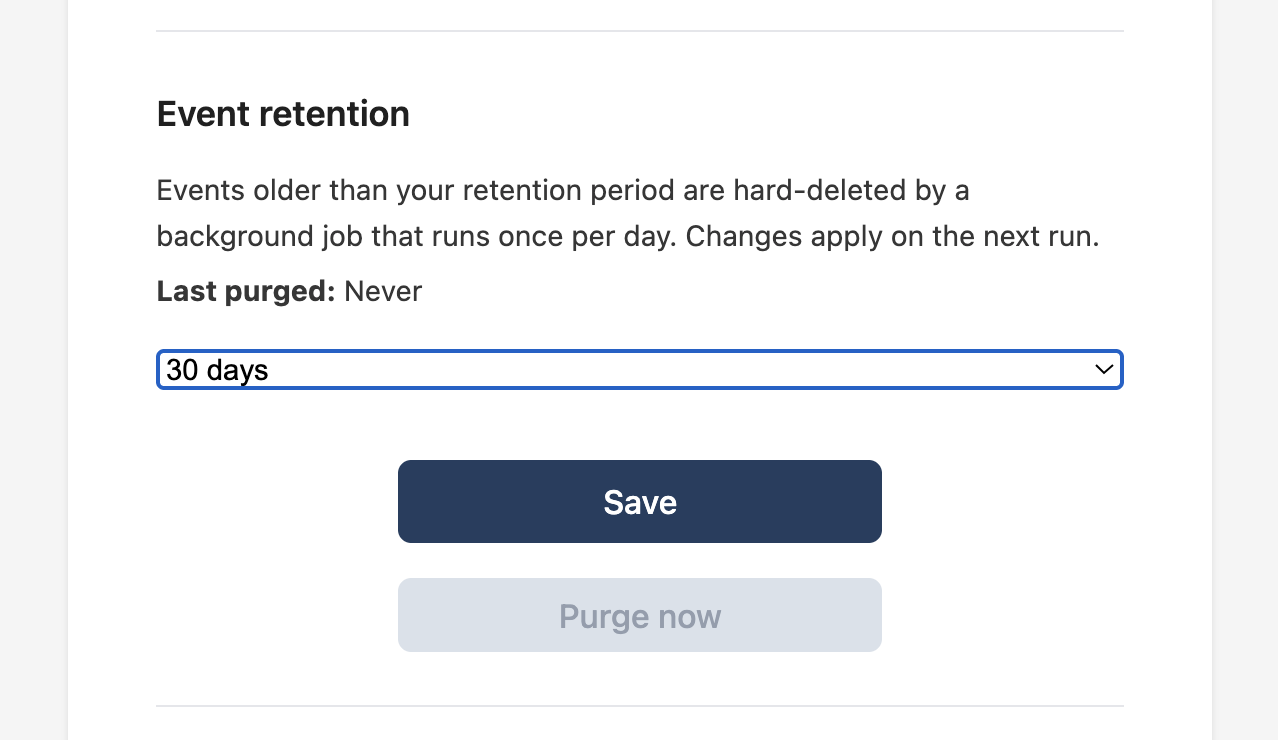
In the dashboard: project → Settings → Event retention. Pick a retention period from the dropdown and click Save.
Lengthening retention (e.g. 30 → 90 days) only affects events newly written from that point forward; events older than the previous policy that have already been purged are gone.
Shortening retention (e.g. 365 → 90 days) takes effect on the next nightly purge. Events older than the new cutoff disappear within 24 hours.
How purging works
A background worker runs once per day per project that has a retention policy. It deletes every event whose occurred_at is older than now - retention_days. The purge is irreversible. There is no soft-delete, no trash, no recovery.
The settings panel shows a Last purged line so you can confirm the worker has run since the policy was set.
Purge now
You can trigger an immediate purge against a project's policy by clicking Purge now in the Event retention panel.
The button is disabled until there's something purgeable. When Last purged: Never and no events exist, there's nothing for the worker to do.
The "purge now" endpoint respects the project's retention_days. It doesn't accept an ad-hoc cutoff. If you need to delete a specific event, delete the project; if you need to delete a specific kind of event, redact it client-side before recording.