Overview
Twenty-four runnable end-to-end demos covering twelve frontend × backend stack combinations, each in single-tenant and multi-tenant variants. All built around the same domain; A secrets vault so you can compare integration shapes without learning a new app each time.
Source: github.com/everscribe/examples
Tech Stack Matrix
| Frontend | Backend | Architecture | Link |
|---|---|---|---|
| React | Go | single-tenant | see full example |
| React | Go | multi-tenant | see full example |
| React | Node | single-tenant | see full example |
| React | Node | multi-tenant | see full example |
| Svelte | Go | single-tenant | see full example |
| Svelte | Go | multi-tenant | see full example |
| Svelte | Node | single-tenant | see full example |
| Svelte | Node | multi-tenant | see full example |
| Vanilla JS | Go | single-tenant | see full example |
| Vanilla JS | Go | multi-tenant | see full example |
| Vanilla JS | Node | single-tenant | see full example |
| Vanilla JS | Node | multi-tenant | see full example |
| React | Python | single-tenant | see full example |
| React | Python | multi-tenant | see full example |
| Svelte | Python | single-tenant | see full example |
| Svelte | Python | multi-tenant | see full example |
| Vanilla JS | Python | single-tenant | see full example |
| Vanilla JS | Python | multi-tenant | see full example |
| React | Rust | single-tenant | see full example |
| React | Rust | multi-tenant | see full example |
| Svelte | Rust | single-tenant | see full example |
| Svelte | Rust | multi-tenant | see full example |
| Vanilla JS | Rust | single-tenant | see full example |
| Vanilla JS | Rust | multi-tenant | see full example |
What they look like
Every example renders the same secrets-vault domain but exposes one of two top-level shapes (single-tenant or multi-tenant), depending on which variant you pick.
The screenshots below use the default theme. Every visual property (colors, spacing, typography, borders, radii) is a CSS variable supplied by @everscribe/components-styles, so you can re-skin the embed to match your brand without forking the component.
Single-tenant
One project per customer (or one project for your own internal use). The token has no tenant_id claim, so the embedded component shows every event in the project.
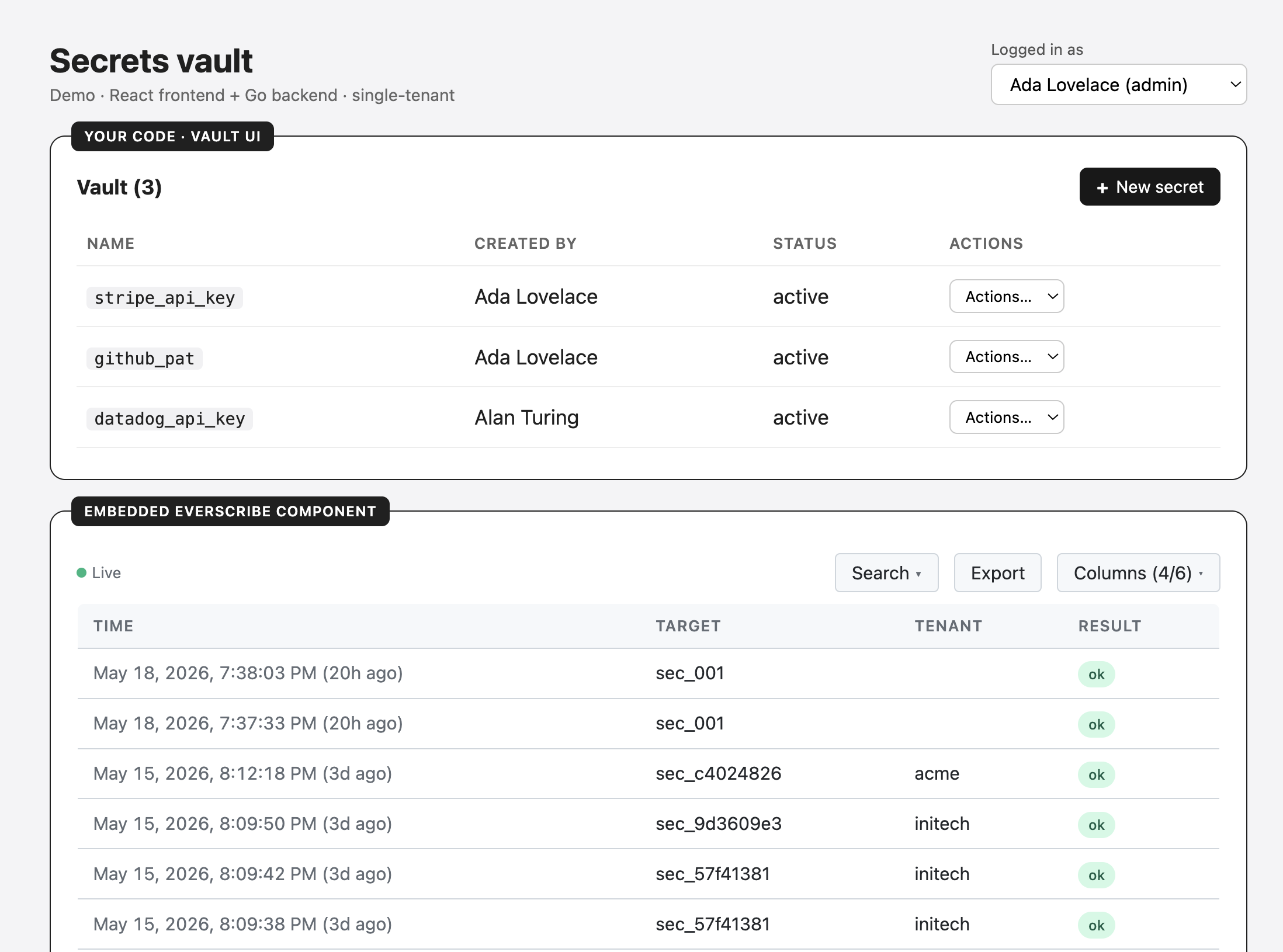
The shaded Embedded Everscribe component card is the actual embed. The same UI you'd get on the Everscribe dashboard, mounted inside the demo app via the <AuditTrail /> component (or <audit-trail> custom element in non-React variants).
Multi-tenant
Many customers in one project, partitioned by tenant_id. The demo exposes two views via a tab strip:
- Customer view. Token scoped to the signed-in user's tenant (
tenantId: "acme"); the embed only shows that tenant's events. - Admin view. Token has no
tenant_id; the embed shows every tenant in the project, for internal admin / support tooling.
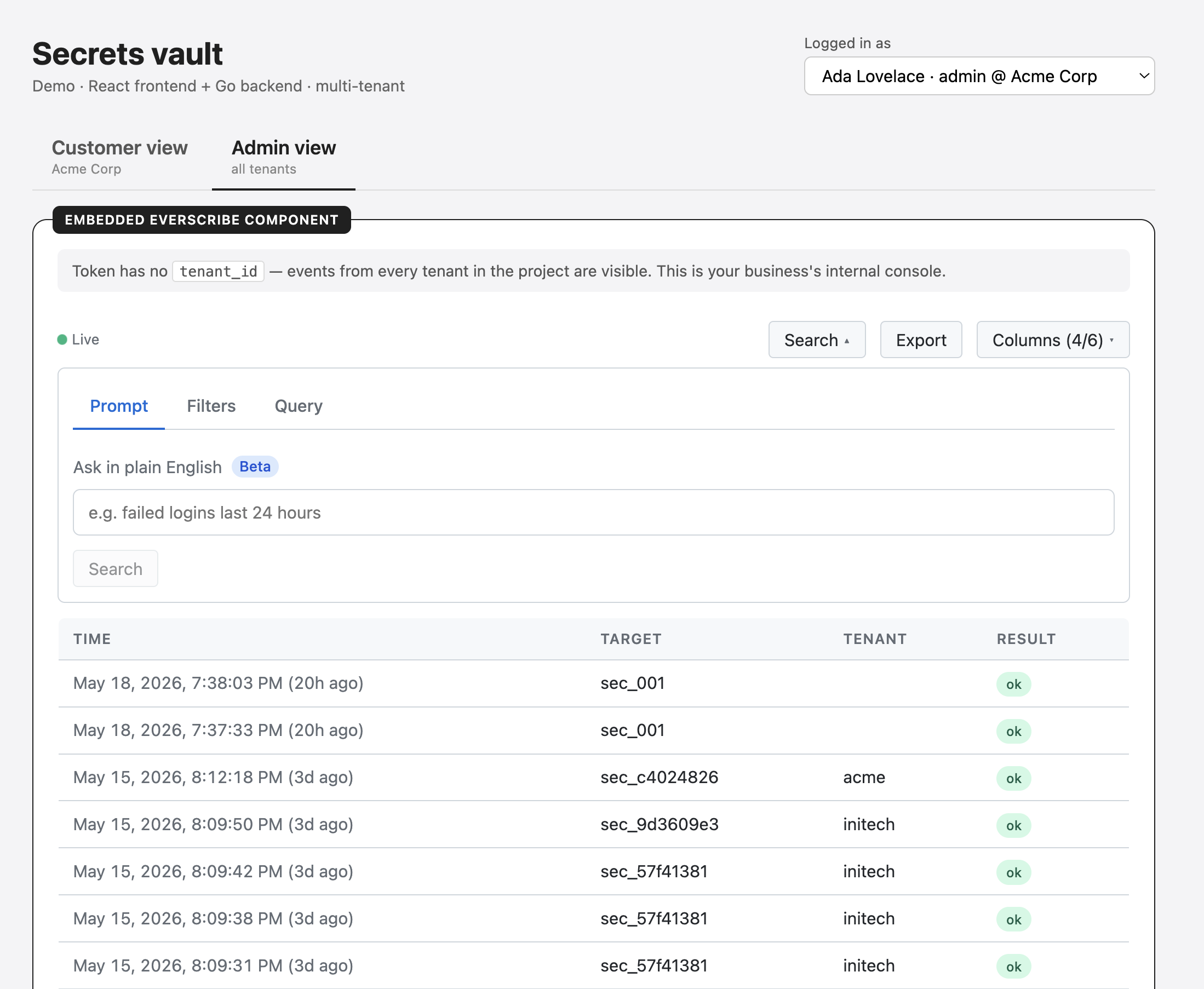
Switching users in the Logged in as dropdown re-mints the customer-view token against the new tenant, so the embed re-scopes immediately. The Admin view stays the same regardless of who's signed in.
What every example does
All twenty-four apps run the same secrets-vault domain. Same UI verbs, same audit events, same fake-login dropdown. The only thing that changes between them is the integration glue between Everscribe and your stack.
The vault verbs
| UI action | HTTP | Event |
|---|---|---|
| Reveal | POST /api/secrets/{id}/reveal |
secret.reveal |
| Create | POST /api/secrets |
secret.create |
| Rotate | POST /api/secrets/{id}/rotate |
secret.rotate (with redacted before/after) |
| Share | POST /api/secrets/{id}/share |
secret.share |
| Expire | POST /api/secrets/{id}/expire |
secret.expire |
| Revoke | DELETE /api/secrets/{id} |
secret.revoke |
The rotate handler is the canonical example of WithRedactedFields in action. The audit diff sees value: "[REDACTED]" on both sides, not the plaintext.
The audit trail panel
Below the vault UI, every example mounts the embedded audit component:
- React variants.
<AuditTrail />from@everscribe/components-react - Svelte variants.
<audit-trail>custom element from@everscribe/components-element - Vanilla JS variants. Same custom element, plain HTML usage
Both come from the same components-core engine, render the same table, and authenticate with the same JWT shape.
Single-tenant vs multi-tenant. At a glance
The visual differences are covered above; the wire-shape differences are:
| Single-tenant | Multi-tenant | |
|---|---|---|
| Tabs | One app view | Customer view · Admin view |
| Customer-view scope | n/a | Token has tenantId set; embed shows only this tenant's events |
| Admin-view scope | n/a | No tenantId; embed shows all tenants in the project |
| Seed tenants | 1 implicit | Acme, Initech (2 users each) |
| Switching tenants | n/a | Login dropdown re-scopes the customer embed |
Architecture
                   ┌────────────────────────────┐
                   │  Everscribe ingestion API  │
                   │   (api.everscribe.io)      │
                   └────────────┬───────────────┘
                                │
                  ┌─────────────┴─────────────┐
                  │                           │
    ┌─────────────▼─────────────┐ ┌───────────▼─────────────┐
    │ Recorder (go/node/py/rust)│ │ Embed reads via JWT      │
    │                           │ │                          │
    │ POST /v1/events  (batched)│ │ GET /v1/embed/events?... │
    └─────────────▲─────────────┘ └───────────▲─────────────┘
                  │                            │
    ┌─────────────┴─────────────┐ ┌───────────┴────────────────┐
    │  Your backend             │ │  Your customer's browser   │
    │  - holds API key          │ │  - receives short-lived    │
    │  - records events on      │ │    JWT minted by your      │
    │    every mutation         │ │    backend                 │
    │  - mints scoped tokens    │ │  - mounts <AuditTrail/>    │
    │    on /api/embed-token    │ │  - never sees API key      │
    └───────────────────────────┘ └────────────────────────────┘
Recorder buffers and batches events; record() doesn't block your request path. Minter issues short-lived JWTs scoped by tenant, columns, and action filters so the browser can mount <AuditTrail> without seeing your API key.
Caveats
These examples are demos. Before you copy patterns into production:
- The frontend's login dropdown sets an
X-Demo-Actorheader that the backend reads to know who's calling. Real apps replace this with real auth (session cookie, JWT, OAuth). The demo header is a shortcut so the audit middleware has an Actor to attach to events without pulling in an auth library. - The vault is in-memory; secrets reset on restart. Real apps store secrets in a real secrets manager. The vault here is just something to record events about.
- The multi-tenant customer-embed token endpoint requires
X-Demo-Actor. The component's built-intokenEndpointfetcher POSTs withcredentials: 'include'and nothing else, so the customer embed uses theonTokenExpiredcallback (or equivalent) to attach the header.
What next
- Pick a per-stack page above
- Web Components → Overview. The embed widget the examples mount
- Embed Tokens. The security model the examples demonstrate